+8618060982349

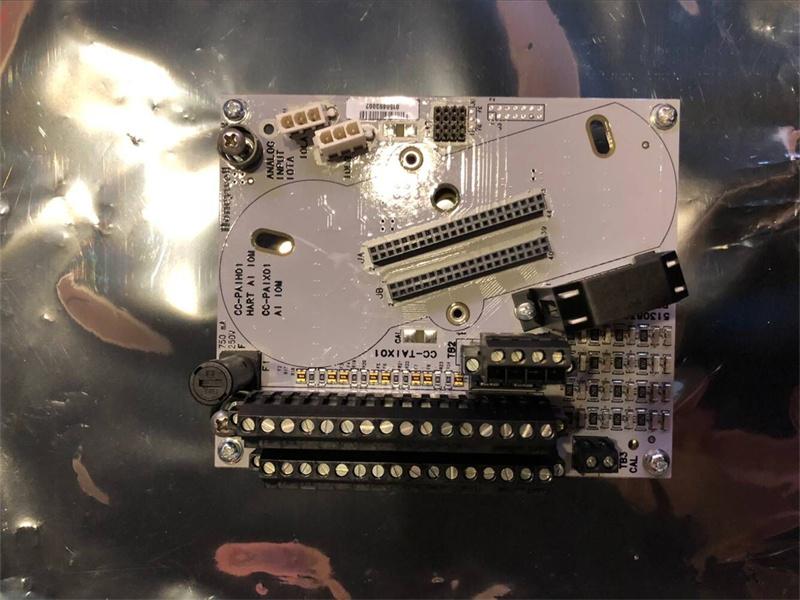
CC-TAIX01 HONEYWELL 51308363-175 Analog Input IOTA Module

CC-TAIX01 HONEYWELL 51308363-175 Analog Input IOTA Module

  • Item NO.:

    CC-TAIX01
  • Payment:

    T/T
  • Market Price:

    $750
  • Product Origin:

    U.S.A.
  • Color:

    Depends on material
  • Shipping Port:

    Xiamen
  • Lead Time:

    5-7 days
  • Goods Stock:

    10
  • Product weight:

    0.7 kg

Manufacture
Honeywell
Model
CC-TAIX01
PN No.  51308363-175
Catalog
C300
Description
Analog Input IOTA Module
Origin U.S.A.
HS CODE 8537101190
Dimension 20*10*15(CM)
Weight 0.7 kg

Description:

Analog Input IOTA Models CC-TAIX01, CC-TAIX11
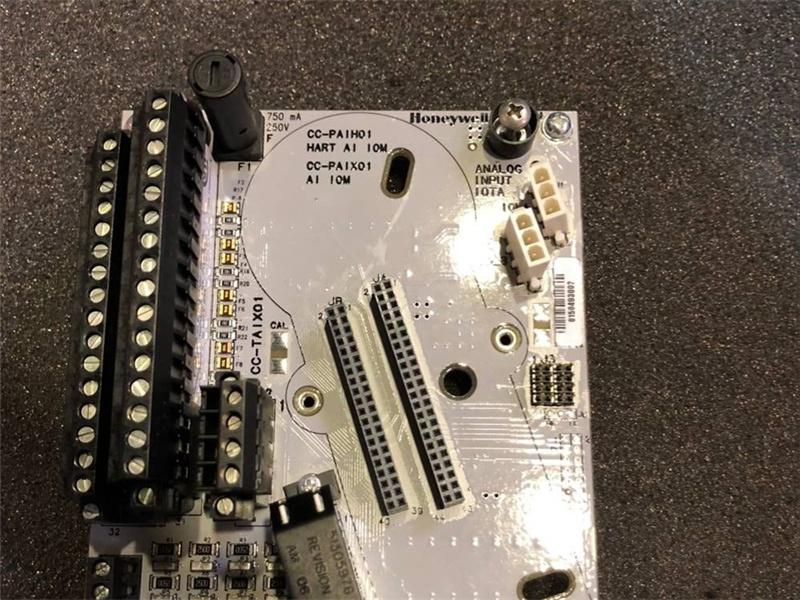
The Series C Analog Input IOTA board is represented by the following information and graphic.
To access the parts information for the:
• module
• IOTA
• terminal plug-in assembly, and
• fuses
associated with this board and module, refer to Analog Input in the Recommended Spare Parts section.
Series C Analog Input 6 inch, non-redundant IOTA is displayed.

Note: All I/O field terminations accept up to 14 gauge stranded wire.
To properly wire, your module to the Series C Analog Input IOTA board with terminal block 1 (TB1) and terminal block 2 (TB2), use the following tables.

Specifications:

Product No. : 51308363-175

Model Code: CC-TAIX01
System Compatibility: Non-redundant Controller with Onboard Mixed I/O Module
Control Execution Environment (CEE): Supports deterministic, real-time control
Power Supply: 24 VDC, 1.2 A
Mounting: Power is supplied to the controller and I/O modules through the power input terminals on the controller IOTA and the left end plate
Communication Interfaces:
· Fault Tolerant Ethernet (FTE)
· I/O Link for Series C I/O modules
Operating Temperature: -40 °C to +75°C

Configuring an I/O module for ControlEdge 900 controller
1. From the Home Page, under I/O and Communications and click Configure Modules > Configure I/O Modules.
2. Click Add I/O Module, the Add I/O Module dialog appears.
3. Select the Type, assign the Rack and Slot, and set the IOM Scan Time for the Module.
4. Click OK to add the I/O module.
5. Select the corresponding I/O module, configure I/O channels. Configuring an I/O module for ControlEdge 2020 controller

You can configure onboard I/O modules, expansion I/O modules and a third party I/O ST103A for ControlEdge 2020 controller.

To configure an onboard I/O
1. From the Home Page, under I/O and Communications and click Configure I/O.
2. Click Onboard I/O and you can view the five channels AI, AO, DI, DO and PI.
3. Select the corresponding channel, and configure parameters.

Chapter 4 - Software
To add and configure an expansion I/O module
1. From the Home Page, under I/O and Communications and click Configure I/O.
2. Click Add I/O Module > SC-UMIX01 Mixed I/O Module, 28, the Add I/O Module dialog appears.
3. Enter the Description and select the Address for the I/O module which must be same as the rotary switch setting of the physical device. The range of the address is from one to nine.
4. Click OK to add the I/O module.
5. Click the corresponding expansion I/O module to view channels.
6. Select the corresponding channel, and configure parameters.

To add and configure an third-party I/O, ST103A
1. From the Home Page, under I/O and Communications, click Configure Third-Party I/O > ST103A.
2. Click Add ST103A Module. The Add I/O Module dialog appears.
3. Enter Description for ST103A module which will be a unique identifier for binding with specific meter runs.
4. Select Slave ID for the drop-down list. The valid value is from 1 to 15.
The ST103A should be opened to set Slave ID and row 4 bit switches will be available to configure the value from 1 to 15. See "Configuring ST103A" in the ControlEdge 2020 Platform Hardware Planning and Installation Guide for how to set Slave ID.
ATTENTION: If there are other Modbus devices connected to the same RS485 port along with ST103A, ensure that they do not conflict with each other.
5. Select the port number, and provide values for Retries and Timeout.
6. Click OK to add ST103A module.
7. Click the corresponding module to view channels.
Only ST103A's analog input, pulse input, frequency and raw pulse output can be configured via ControlEdge Builder.
8. Select the corresponding channel, and configure parameters

Related topics
“Analog Input IOTA Models CC-TAIX01, CC-TAIX11” on page 76
“Analog Input non-HART/HARTIOTA Models Cx-TAIX51, Cx-TAIX61” on page 87
“Non-HART Analog Input IOTA (Models CC-TAIN01, CC-TAIN11)” on page 94
“Differential Analog input IOTA (Models CC-TAID01 and CC-TAID11)” on page 101
“Analog Output IOTA Models CC-TAOX01, CC-TAOX11, CC-TAON01 and CC-TAON11” on page 114
“Analog Output HART IOTA Models Cx-TAOX51, Cx-TAOX61” on page 121
“Low Level Analog Input Mux (LLMUX) IOTA Models CC-TAIM01” on page 125
“Digital Input High Voltage IOTA Models CC-TDI110, CC-TDI120, CC-TDI220, CC-TDI230” on page 129
“Digital Input High Voltage PROX IOTA Model Cx-TDI151” on page 134
“Digital Input 24V IOTA Models CC-TDIL01, CC-TDIL11” on page 138
“Digital Input 24V IOTA Models Cx - TDIL51, Cx - TDIL61” on page 146
“Digital Output 24V IOTA Models CC-TDOB01, CC-TDOB11” on page 152
“Digital Output 24V IOTA Models Cx-TDOD51, Cx-TDOD61” on page 157
“Digital Output Relay Module IOTA Models CC-TDOR01, CC-TDOR11” on page 162
“Digital Output Relay Extender board Models CC-SDOR01” on page 164
“Speed Protection Module IOTA Model CC-TSP411” on page 168
“Servo Valve Positioner Module IOTA Models CC-TSV211” on page 175
“Universal Input/Output IOTA Models CC-TUIO01 and CC-TUIO11” on page 183
“Universal Input/Output Phase 2 IOTA Models CC-TUIO31 and CC-TUIO41” on page 192
“Pulse Input Module IOTA Model CC-TPIX11” on page 201
“Upgrading Firmware in Series C I/O components” on page 203


Frequently Asked Questions:
1.What is the Dynamic memory (RAM) 128 Megabytes and Program memory (Flash) for CC-TAIX01?
128 Megabytes 
32 Megabytes

2.What is the payment term?
Only wire transfer

3.When does the warranty period start?
One year from the time the client receives the goods.

Datasheet Link:

CC-TAIX01 HONEYWELL 51308363-175 Analog Input IOTA Module PDF Datasheet

51308363-175

Leave A Message
If you are interested in our products and want to know more details,please leave a message here,we will reply you as soon as we can.
Related Products
HONEYWELL 51109693-100B Module
HONEYWELL 51109693-100B Module/Much in stock

HONEYWELL 51109693-100B

Best Price

View More
HONEYWELL 51196990-500 Module
HONEYWELL 51196990-500 Module/Much in stock

HONEYWELL 51196990-500

Best Price

View More
HONEYWELL 51204160-175 Module
HONEYWELL 51204160-175 Module/Much in stock

HONEYWELL 51204160-175

Best Price

View More
HONEYWELL 51204162-175 Module
HONEYWELL 51204162-175 Module/Much in stock

HONEYWELL 51204162-175

Best Price

View More
HONEYWELL 51204172-175  Module
HONEYWELL 51204172-175 Module/Much in stock

HONEYWELL 51204172-175

Best Price

View More
HONEYWELL 51303932-476  Module
HONEYWELL 51303932-476 Module/Much in stock

HONEYWELL 51303932-476

Best Price

View More
HONEYWELL 51303940-250  Module
HONEYWELL 51303940-250 Module/Much in stock

HONEYWELL 51303940-250

Best Price

View More
HONEYWELL 51304337-150  Module
HONEYWELL 51304337-150 Module/Much in stock

HONEYWELL 51304337-150

Best Price

View More

click here to leave a message

Leave A Message
If you are interested in our products and want to know more details,please leave a message here,we will reply you as soon as we can.

Home

Products

about

contact