This content will use the Bently 3500 vibration monitoring system, widely used in most power plants, as a template to comprehensively describe the system installation, configuration, commissioning process, and handling of common problems during commissioning.
Section 1: Basic Hardware Knowledge of the TSI System
The 3500 system provides continuous, online monitoring capabilities, suitable for mechanical protection applications, and provides crucial information for early identification of mechanical faults. The highly modular design of this system mainly includes:
| Pos | Description | Part Number | Quantity |
Configuration requirements |
| 1 | Rack | 3500/05 | 1 Set |
Must |
| 2 | Power Module | 3500/15 | 1 or 2 pcs |
Must |
| 3 |
Rack Interface Module |
3500/20 | 1 pc | Must |
| 4 |
Enhanced Keyphasor Module |
3500/25 |
1 or 2 pcs |
Selectable |
| 5 |
Proximitor Monitor Module |
3500/XX(42,45,53,50) | 1 or more pcs | Must |
| 6 |
Relay Module |
3500/32 |
1 or more pcs |
Selectable |
| 7 |
TMR Redundant Relay Module |
3500/34 |
1 or more pcs |
Selectable |
| 8 |
Communication Gateway Module |
3500/92 |
1 or more pcs |
Selectable |
| 9 | Software |
|
|
Must |
See the picture below:
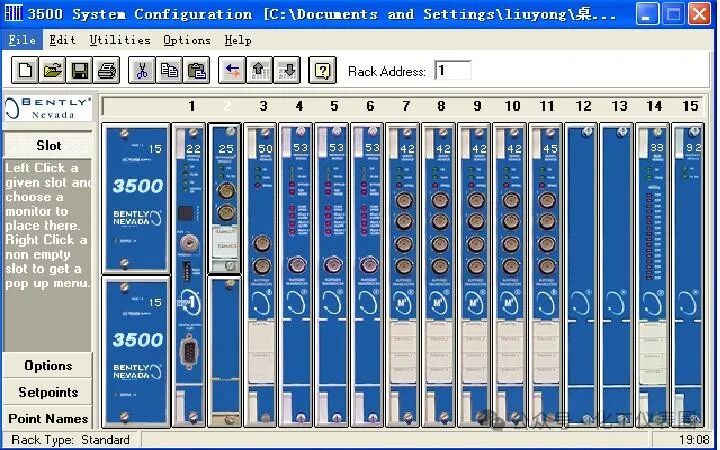
The system's workflow is as follows: Sensor input signals acquired from the field are provided to the monitors and key phase channels within the 3500 monitor frame. After data acquisition, it is compared with alarm points and sent from the monitor frame to one or more locations for processing.
Common features of modules within the 3500 frame include hot-swappable connectors and internal and external terminal blocks. Any main module (mounted at the front end of the 3500 frame) can be removed and replaced while the system is powered on without affecting the operation of unrelated modules. If the frame has two power supplies, plugging or unplugging one power supply will not affect the operation of the 3500 frame. External terminals use multi-core cables (one wire per module) to connect input/output modules to the terminals. These terminals make it very easy to connect multiple wires to the frame in a confined space. Internal terminals are used to directly connect sensors to input/output modules. External terminal blocks generally cannot be used with internal terminal input/output modules.
1. 3500/05 System Frame
The 3500 frame houses all monitor modules and the frame power supply. It provides backplane communication for communication between the various 3500 frames and supplies power to each module as required.
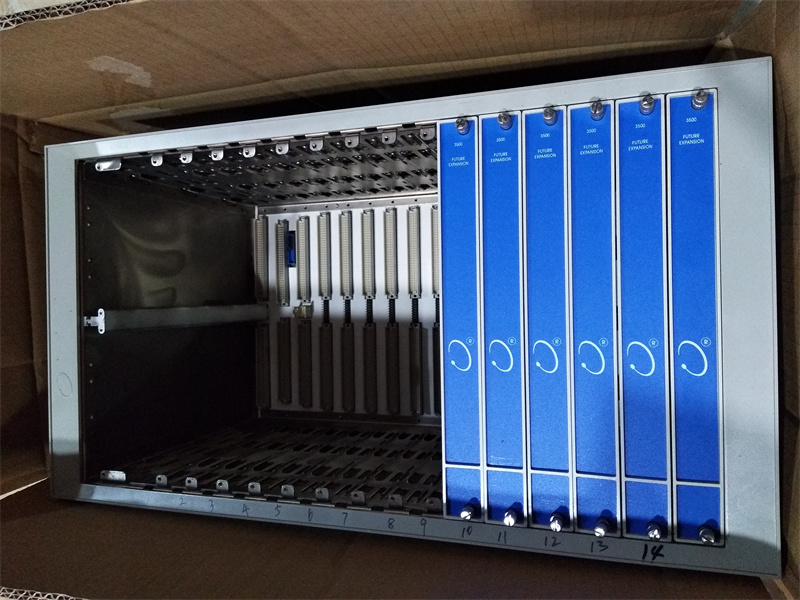
The 3500 frame is available in two sizes:
1. Full-size frame – 19-inch EIA frame with 14 available module slots
2. Mini frame – 12-inch frame with 7 available module slots
Power supply and frame interface modules must be installed in the two leftmost slots. The remaining 14 frame positions (7 for the mini frame) can accommodate any module.
2. 3500/15 Power Supply Module
The 3500 power supply is a half-height module and must be installed in a specially designed slot on the left side of the frame. The 3500 frame can accommodate one or two power supplies (any combination of AC or DC). Either power supply can power the entire frame. If two power supplies are installed, the second power supply serves as a backup for the first. When two power supplies are installed, the upper power supply serves as the primary power supply, and the lower power supply serves as the backup power supply. As long as one power supply is installed, removing or installing the second power supply module will not affect the operation of the frame. The 3500 power supply can accept a wide range of input voltages and can convert these input voltages to voltages acceptable to other 3500 modules. For the 3500 mechanical protection system, the following three power supplies are available:
1. AC power supply
2. High-voltage DC power supply
3. Low-voltage DC power supply
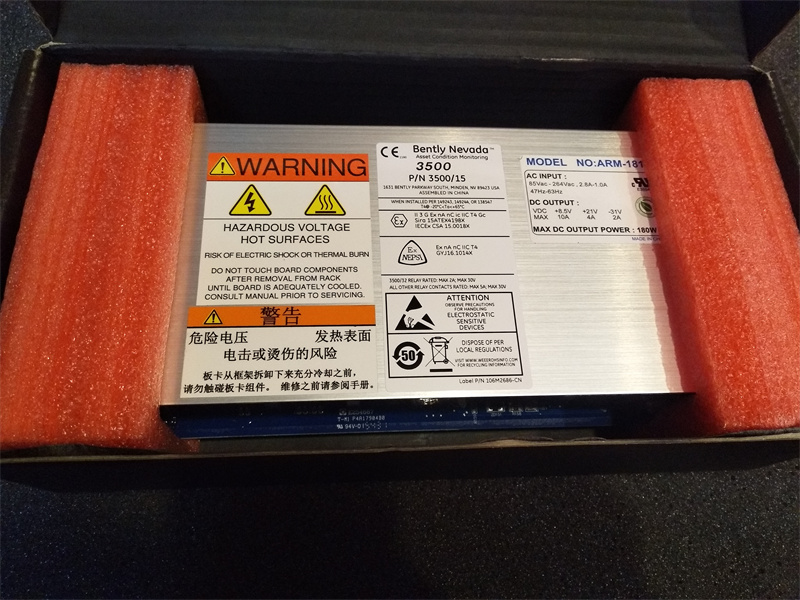
Input power supply options:
175 to 264 Vac rms: (247 to 373 Vac, pk), 47 to 63 Hz. This option uses AC power and a high-voltage (typically 220V) AC power input module (PIM). Installing AC power input modules (PIMs) of version R and earlier and/or power modules of version M and earlier requires an input voltage of 175 to 250 Vac rms.
85 to 132 Vac rms: (120 to 188 Vac, pk), 47 to 63 Hz. This option uses AC power and is a low-voltage (typically 110V) AC power input module (PIM). Installing version R or earlier AC power input modules (PIMs) and/or version M or earlier power modules requires an input voltage of 85 to 125 Vac rms.
88 to 140 Vdc: This option uses DC power and is a high-voltage DC power input module (PIM).
20 to 30 Vdc: This option is low-voltage DC power supply and is a low-voltage DC power supply module (PIM).
Over-limit protection: For all power types, low voltage will not damage the power supply or PIM. An out-of-range voltage will cause the fuse on the PIM to open.
Full frame current: 175 to 254Vac input: 2.3 A rms (maximum).
85 to 132 Vac Input: 4.5 A rms (Max).
88 to 140 Vdc Input: 2.5 A (Max).
20 to 30 Vdc Input: 10.0 A (Max).
Output: Front panel LED
Power OK LED: The LED illuminates when the power supply is functioning correctly.
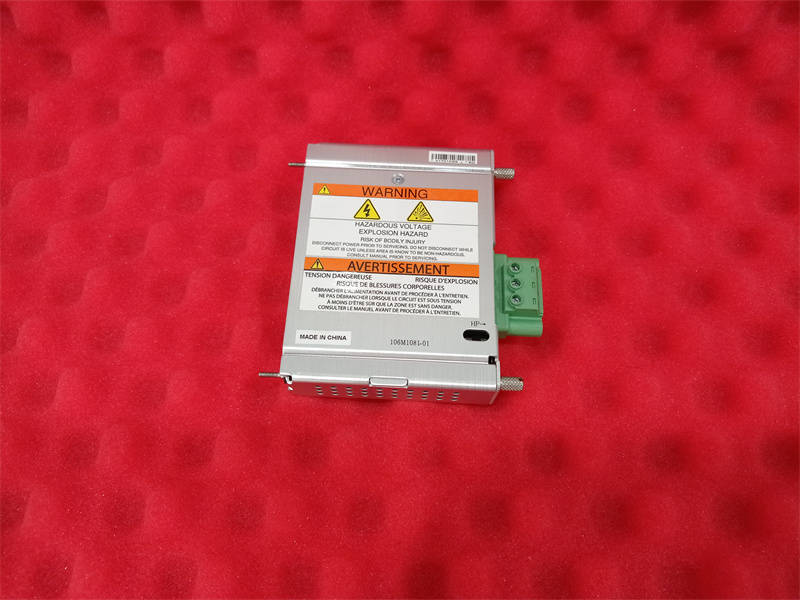
Single-point ground connection: To avoid ground loops, the system must provide a single-point ground. The power input module provides a switch to distinguish where the control system is grounded. If two power supplies are installed, both switches must be set to the same position. The power input module is shipped with the switch set to CLOSED; the grounding system is led to the terminal connector via the END terminal. If the system is grounded elsewhere, such as with an external safety device, the switch must be set to OPENED. The following diagram demonstrates how to switch to the OPENED position.
1. Remove the wire protection cover from the terminal connector;
2. 1. Remove the Phillips head screw on the side, which secures the metal cover of the power input module;
2. Loosen the two screws securing the housing ground clip, located under the terminal connector, and remove the housing ground clip;
3. Remove the thin metal plate at the bottom of the metal cover, allowing the terminal connector to slide over it;
4. Push the switch to the OPENED position;
5. Reinstall the metal cover and housing ground clip onto the power input module.
Address : Unit 1904, No.96-2 Lujiang Road, Siming District, Xiamen
Phone/WhatsApp/Skype : +86 18060982349
E-mail : sales6@nseauto.com